Stage 1
Provisional restorations
Start strong. Design the full-arch provisional from precise implant positions, soft-tissue scans, and bite registration.
Atomica Photogrammetry
Capture implant positions with confidence. Combine photogrammetry with intraoral scans for full-arch implant restorations.
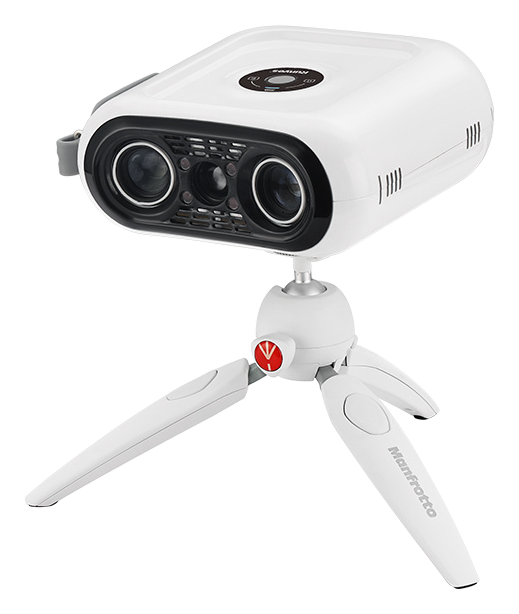
Record the relative 3D positions of implants for your digital implant impression.
No calibration before each use. Set up, capture, and move on.
Export STL files to compatible dental CAD software, including exocad.
Why photogrammetry
Full-arch implant restorations start with an accurate digital implant impression. Atomica Photogrammetry records the relative positions of implants using dedicated photogrammetry scan bodies, giving your dental lab a precise reference for prosthesis design.
One device for full-arch restorative workflows.
Stage 1
Start strong. Design the full-arch provisional from precise implant positions, soft-tissue scans, and bite registration.
Stage 2
Finish with confidence. Record implant positions for the definitive prosthesis, using the approved provisional restoration as a design reference.
Your clinical team sets the timing and protocol for each case.
Combine photogrammetry, intraoral scans, and bite registration for prosthesis design.
Source: Photogrammetry
Recorded using dedicated photogrammetry scan bodies.
Source: Intraoral scans + bite registration
Intraoral scans record the soft tissues and opposing arch. Add bite registration and any additional jaw-relation records required for the case.
Source: Clinical records
Scans of the provisional restoration and other clinical records help guide tooth position and occlusion.
Seat compatible photogrammetry scan bodies and select the matching implant library in your CAD software.
Record implant positions with photogrammetry. Add soft-tissue and opposing-arch scans and the required bite registration.
Align the photogrammetry data with the intraoral scans in dental CAD software and review the digital model.
Your dental lab designs and fabricates the prosthesis; verify fit and occlusion at delivery.
From digital implant impression to prosthesis design.
Export STL files for compatible dental CAD software, including exocad. Combine implant-position data with intraoral scans, bite registration, and the matching implant library for your dental lab.
Designed to work alongside your existing intraoral scanner and lab—with compatibility confirmed for your implant system. Our team will match the setup to your practice.
Check compatibilityShare your intraoral scanner, implant or multi-unit abutment (MUA) system, and dental CAD software so the discussion starts with your setup.
Capture the photogrammetry scan bodies with the camera positioned outside the mouth.
Follow the manufacturer's maintenance and verification instructions for consistent results.
Discuss the configuration, scan-body kit, software requirements, and training for your team.
Figures are manufacturer specifications for the referenced configuration. Position-measurement accuracy describes the capture system.
Explore research on digital implant impressions and scan alignment for full-arch implant restorations.
Clinical repeatability
Negreiros et al., 2025 (opens in a new tab)↗19 arches, first-generation ICam 4D and TRIOS 3. Photogrammetry showed greater repeatability in the tests performed.
Full-arch restorative technique
Clozza, 2024 (opens in a new tab)↗A technique integrating intraoral scanning and photogrammetry for interim and definitive restorations.
Record alignment
Revilla-León et al. (opens in a new tab)↗Laboratory evaluation of tissue/implant scan registration using iCam4D, Grammee, OxoFit and Elite.
Research shown covers the systems and protocols named in each study.
Book a live demo and see how Atomica Photogrammetry fits your full-arch implant workflow.