
Implant dentistry
Ask for implant planning and guide design, an implant-supported crown or bridge, or a fixed full-arch prosthesis. The records depend on the stage of your case.
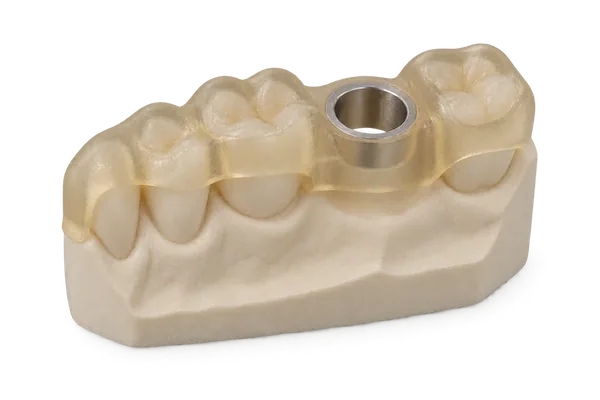
Implant planning and surgical guides
- What to send
- For a new plan, send the CBCT DICOM series, arch scans and bite, planned sites, implant system and guided kit. For a guide from an approved plan, send that plan package and the supporting arch scan. Tissue-supported cases also need registration records when planning is requested.
- What you receive
- A guide STL and its matching drilling report. After you approve the design, print it in your practice or request a finished guide from a partner lab.
Implant crowns and bridges
- What to send
- Identify the implant sites and bridge units. Send arch scans and the bite with either the scan body record and component references or a scan of the seated abutment with visible margins.
- What you receive
- The restoration design and matching model files.
Fixed full-arch designs
- What to send
- For a preoperative immediate provisional, send the arches or existing denture scans, bite and smile photographs. For a postsurgical design, include the tissue scans, implant or abutment positions, bite and a prosthetic reference.
- What you receive
- The fixed full-arch prosthesis design for the prescribed provisional or definitive stage.
See how Dr. Paul Mozer planned a case with a partner lab in his published report in Florida Focus.
Ready to send your case?
Choose implant planning, a surgical guide or an implant restoration. You can print an approved guide in-house or have a partner lab make the guide or prosthesis.